Overview
WebMO groups are collections of users, such as students in a course (eg, "organic" or "chem_103_01") or members of a research group (eg, "smith"). Each group has a group administrator (eg, "admin-organic", "admin-chem_103_01", or "admin-smith").
Group admins are responsible for managing users and jobs in their group. They can also define group permissions (within limits set by the administrator) and custom job templates.
To access the group administration features, login to WebMO as the user admin-{group}, e.g., "admin-organic", with the group administrator login password.
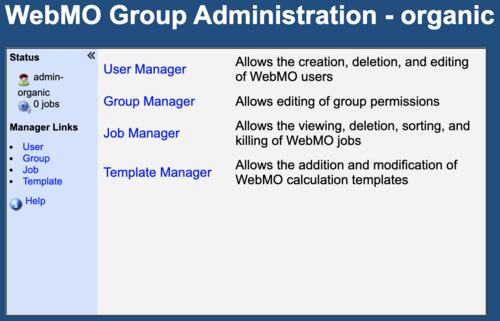
Group Admin Top Page
User Manager
WebMO Cloud User Manager defines the users that are allowed to use this instance. Users can be added individually with New User, or in bulk with Import Users and a CSV spreadsheet. Users and their jobs can also be deleted individually with Delete, or in bulk with Batch Delete. It is also possible to send an email to all users who have supplied an email address with their WebMO Cloud account. See User Manager for details.
User properties may be edited by clicking the Edit icon ( ). See Edit User Profile for details on changing the Password and Preferences (E-mail address, Job notifications, and Archive format). The Permissions tab specifies the job time limit and engines of a user. By default these are same as the group settings. However, it is possible to increase (within group limits) or decrease job time limits and allow different engines for specific users.
See User Manager for detailed descriptions of these tasks.
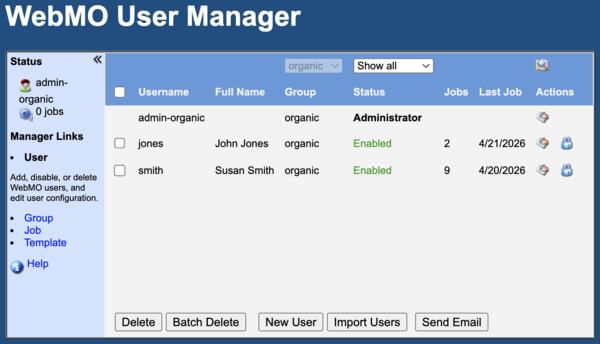
Group Admin User Manager Page
Group Manager
WebMO Cloud group admins can control the permissions on their group. For example, it might be desirable to allow research groups to have access to ab initio programs (Gamess, NWwchem, PSI4, ...) and longer job limits, whereas introductory course students might be limited to semi-empirical programs (MOPAC, xTB, ...) and shorter job times. Job time limits are limited by administrator group settings and the Service Tier to which one is subscribed.
The group admin can also disable job execution for a group, which will allow group users to access their previous jobs but not submit any new ones. This could be useful at the end of a semester when new jobs are no longer permitted.
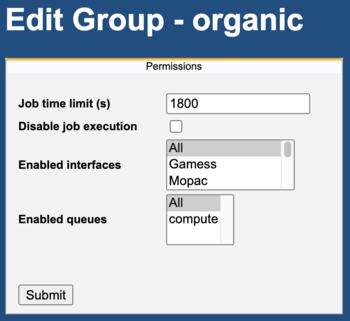
Group Admin Group Manager Page
Job Manager
Webmo Cloud group admins have full control over the jobs of their group members. They can monitor, display, search, delete, import, export, rename, move, and copy jobs within their group using Job Manager.
This is very useful in a classroom when the instructor wants to monitor the jobs being submitted by students, or display the results of different student jobs to the entire class.
See Job Manager for details.
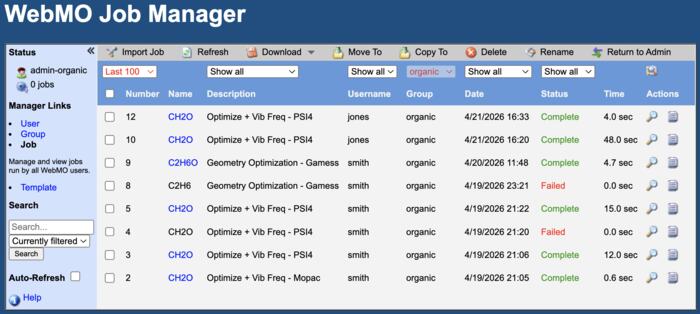
Group Admin Job Manager Page
Template Manager
WebMO calculation types (Molecular Energy, Geometry Optimization, Vibrational Frequencies, ...) are based on pre-defined templates. Sometimes it is desirable to define additional templates for specific purposes, such as running jobs with customized settings in a research setting or running pre-defined jobs in a classroom setting.
Group admins can create new templates that are visible to all members in their group. This is typically done by editing or extending existing templates.
See Template Manager for details.
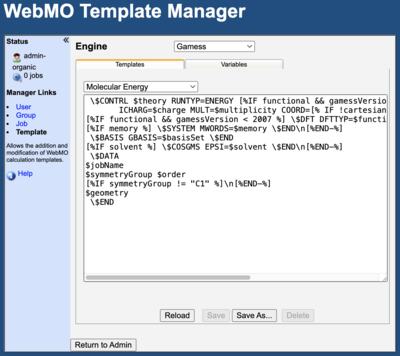
Group Admin Template Manager Page